
11.3. Building an Application with LTO
The LTO feature can be enabled using the -flto option on the tiarmclang command line.
11.3.1. Building an LTO-Enabled Application from the Command-Line Interface (CLI)
Compiling and Linking an Application from the CLI
If compiling and linking from a single tiarmclang command, the -flto option can be inserted among the other compiler options. A typical tiarmclang command line that turns on the LTO feature looks like this:
%> tiarmclang -mcpu=cortex-m4 -Oz -flto hello.c -o hello.out -Wl,lnk.cmd,-mhello.map
Compiling and Linking an Application in Separate Steps with tiarmclang
If compiling and linking in separate steps, the -flto option should be specified on both the tiarmclang compilation and linking commands, like so:
%> tiarmclang -mcpu=cortex-m4 -Oz -flto -c hello.c
%> tiarmclang -mcpu=cortex-m4 -Oz -flto hello.o -o hello.out -Wl,-llnk.cmd,-mhello.map
11.3.2. Building an LTO-Enabled Application in a Code Composer Studio (CCS) Project
Note: Building with LTO in Code Composer Studio requires CCS 12.0 or higher. The steps that follow show the interface for CCS 20.0 or higher (Theia IDE framework).
A tiarmclang CCS project that has been imported into or created in a workspace can be built with LTO enabled by checking the Select Link-Time Optimization (LTO) (-flto) box in the Build-> Tools-> Arm Compiler-> Optimization tab in the project Properties dialog.
Follow these steps to enable LTO in the compiler and linker steps:
Choose Project->Properties to open the Properties dialog for your CCS project.
In the General category, select your version of the TI Arm TI Clang Compiler in the General->Compiler field.
Choose the Build->Tools-> Arm Compiler->Optimization category.
Check the box to enable Select Link-Time Optimization (LTO) (-flto).
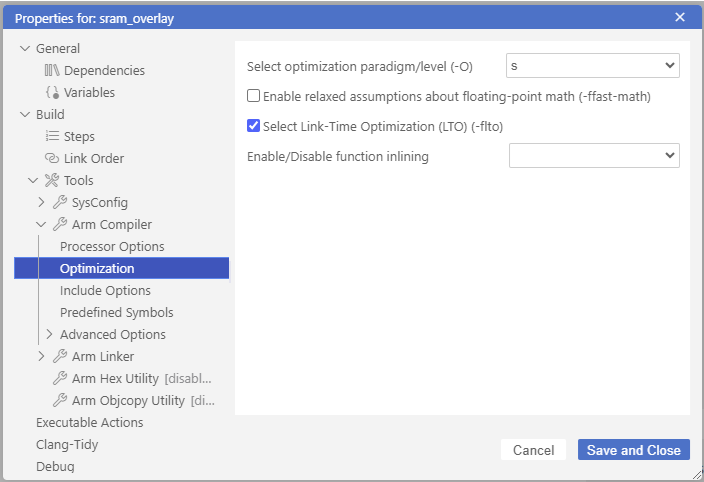
Make any other changed to the settings needed for your application.
Click the Save and Close button.
Build your project.
The -flto option is used in both the compile and link steps of the project build. You do not need to enable it separately for the compiler and the linker.
11.3.3. Building an LTO-Enabled Application with an Older Version of Code Composer Studio
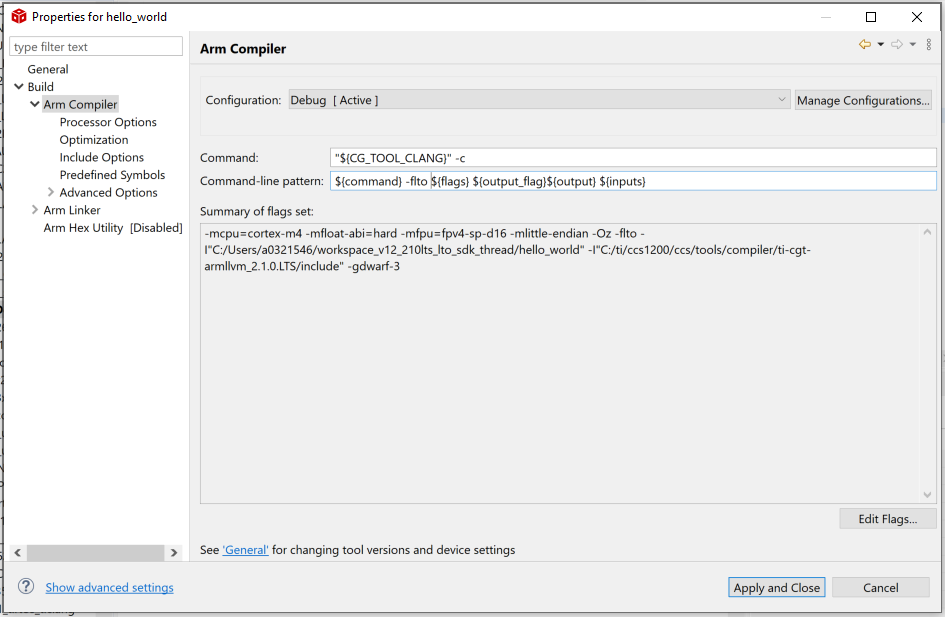
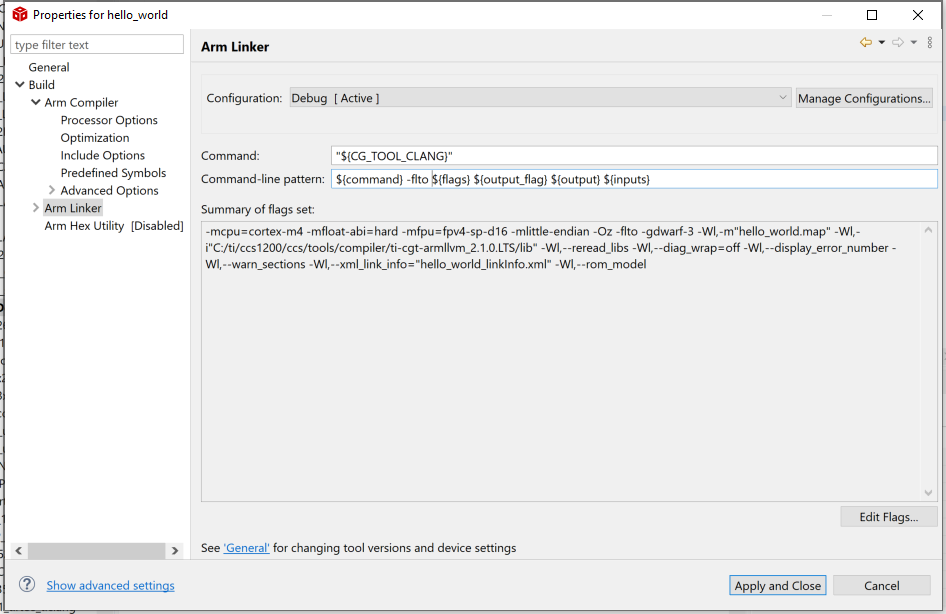
If you are using a CCS version older than CCS 12.0, you can still enable LTO for the build of your application. Assuming the same “Hello World!” CCS project with all other settings accounted for, you can enable LTO by inserting the -flto option into both the Build-> Arm Compiler and Build-> Arm Linker tabs in the Project->Build Settings dialog as follows:
Choose Build-> Arm Compiler and edit the Command-line pattern contents:
Before:
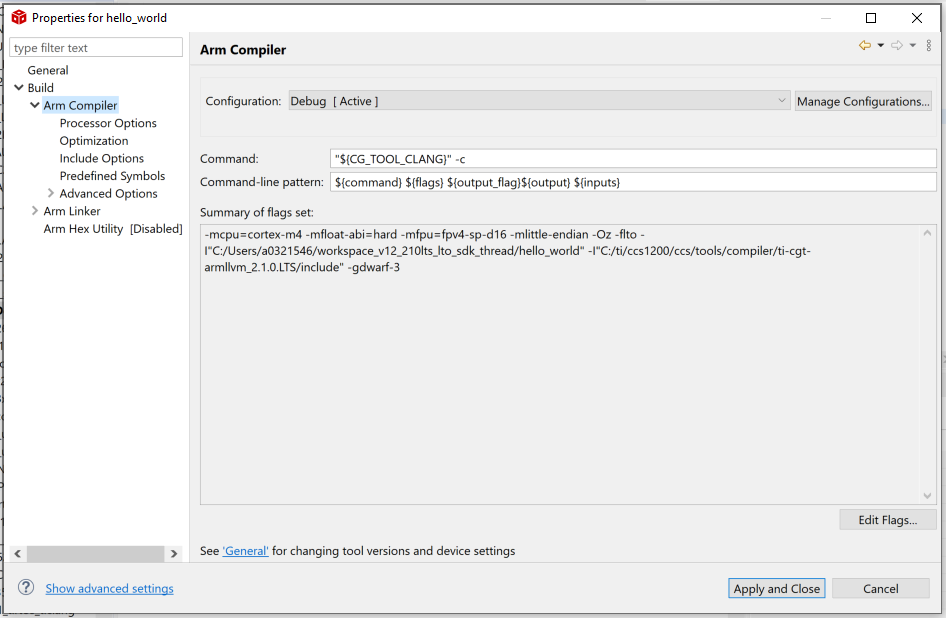
After:
Similarly, for the link step, click on Build-> Arm Linker and edit the Command-line pattern contents:
Before:
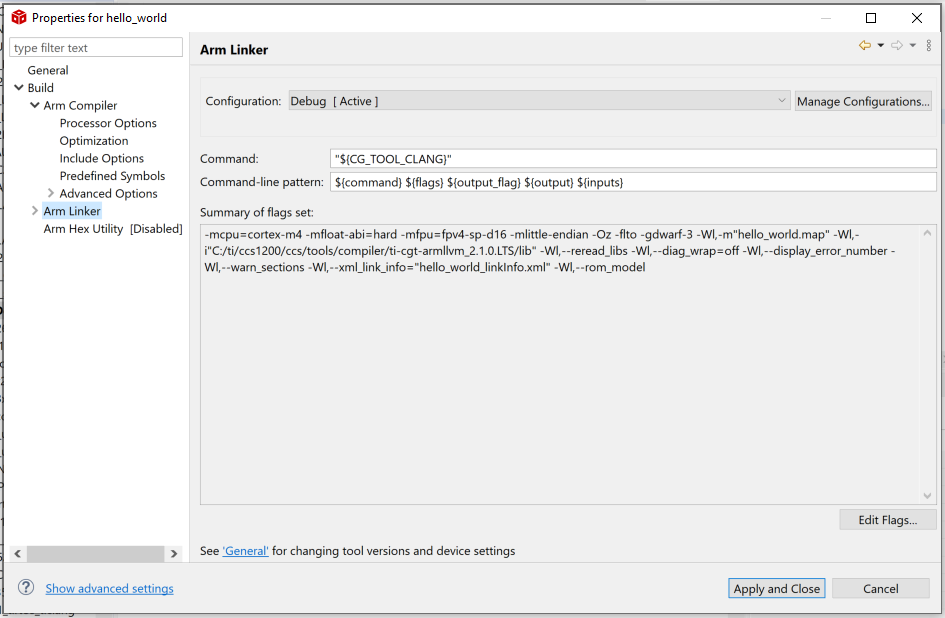
After:
Click the Apply and Close button.
Build your project.