Click on the links in the table below to download.
What
is MSP430
Driver Library?
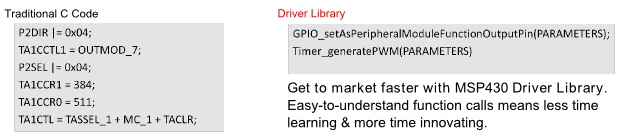
MSP430 Driver Library is a collection of high level APIs that speed up
software development for MSP430. The MSP430 Driver Library package
includes API documentaion and examples to help you get started.
Currently MSP430 Driver Library supports devices from the following
families:
MSP430
Driver Library
MSP430 Driver
Library is a simple
API that
makes it easy to talk to your MSP430 devices.
Driver Library's abstracted API keeps you above the bits and bytes of
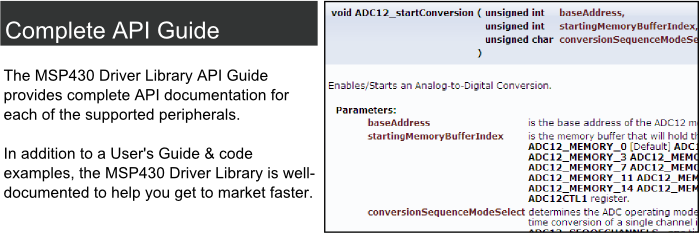
the MSP430 hardware by providing easy-to-use function calls. Thorough
documentation is delivered through a helpful API Guide, which includes
details on each function call and the recognized parameters. Developers
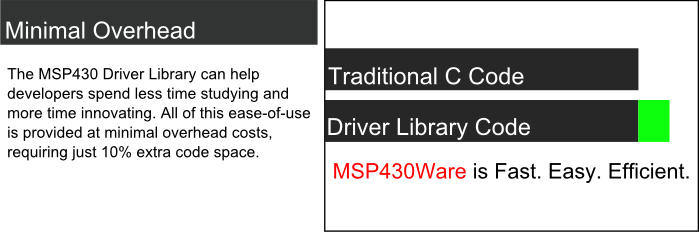
can use Driver Library functions to write complete projects with
minimal overhead!
Program
unlike ever
before with MSP430
Driver Library
How do I use MSP430 Driver Library? MSP430
Driver Library
is available as a standalone BSD released package. To use the library
simply download and unzip the package below. Please read the included
user's guide to learn about adding driver library to a new or existing
project.
MSP430 Driver Library is also released as a component
of
MSP430Ware. You can import and run examples from driver library from
the TI Resouce Explorer GUI within the Code Composer Studio (CCS)
window when you have MSP430Ware installed.
Users upgrading driverlib from version 1.60 to 1.80 please refer to release notes.
Removal of baseaddress removes support of Grace 2.20.02.32. Users that rely on Grace should not update Driver Library at this time until a new Grace is released.
The
1.80 release of Driver Library breaks support for Grace 2.20.02.32. Users
that rely on Grace should not update Driver Library at this time until a new Grace is
released. Driver Library users who want to continue to use Grace can download verison version 1.60.02.01 of Driver Library here.
Explaination of linker warnings
on
MSP430FR5xx_6xx devices?
Example Projects for the MSP430FR5xx_6xx families generate #10374-D
linker warnings due to a new feature in the CCS compiler. This is a
benign warning and will be corrected in a future release. See
here
for an explanation of the warning.
How to Upgrade? Simply download the zip below and unzip into your
desired
installation directory. Driver library releases can coexist. Another
way to update driver library is to update your version of MSP430Ware.
The easiest way to upgrade MSP430Ware is to
start CCS and click Help->Install
New Software... This will find any new versions of MSP430Ware and
optionally install them.
Another way to upgrade MSP430Ware is to download the
MSP430Ware setup file from the MSP430Ware link below and run it after
downloading. Information for CCS 4.2.4 and IAR
5.20
Support
for CCS 4.2.4 and IAR 5.20 are not supported in this release.
Please upgrade to a minimum CCS version of CCS 5.1.1 and IAR
5.40.
Legend
Fill in Form. Approved users receive download URL in 1 minute.
Fill in Form. TI will contact you in 1-2+ business days.