 |
F29H85x-SDK
26.00.00
|
|
|
F29H85x-SDK
26.00.00
|
|
Memory Allocation modules are available under the "Memory Configuration" section in Sysconfig.
Use 'Codestart Address' field to place the CPU1 codestart at a specific address (This will override any auto-assigned address if present). To auto-assign the vector address, set this field to 0x0.
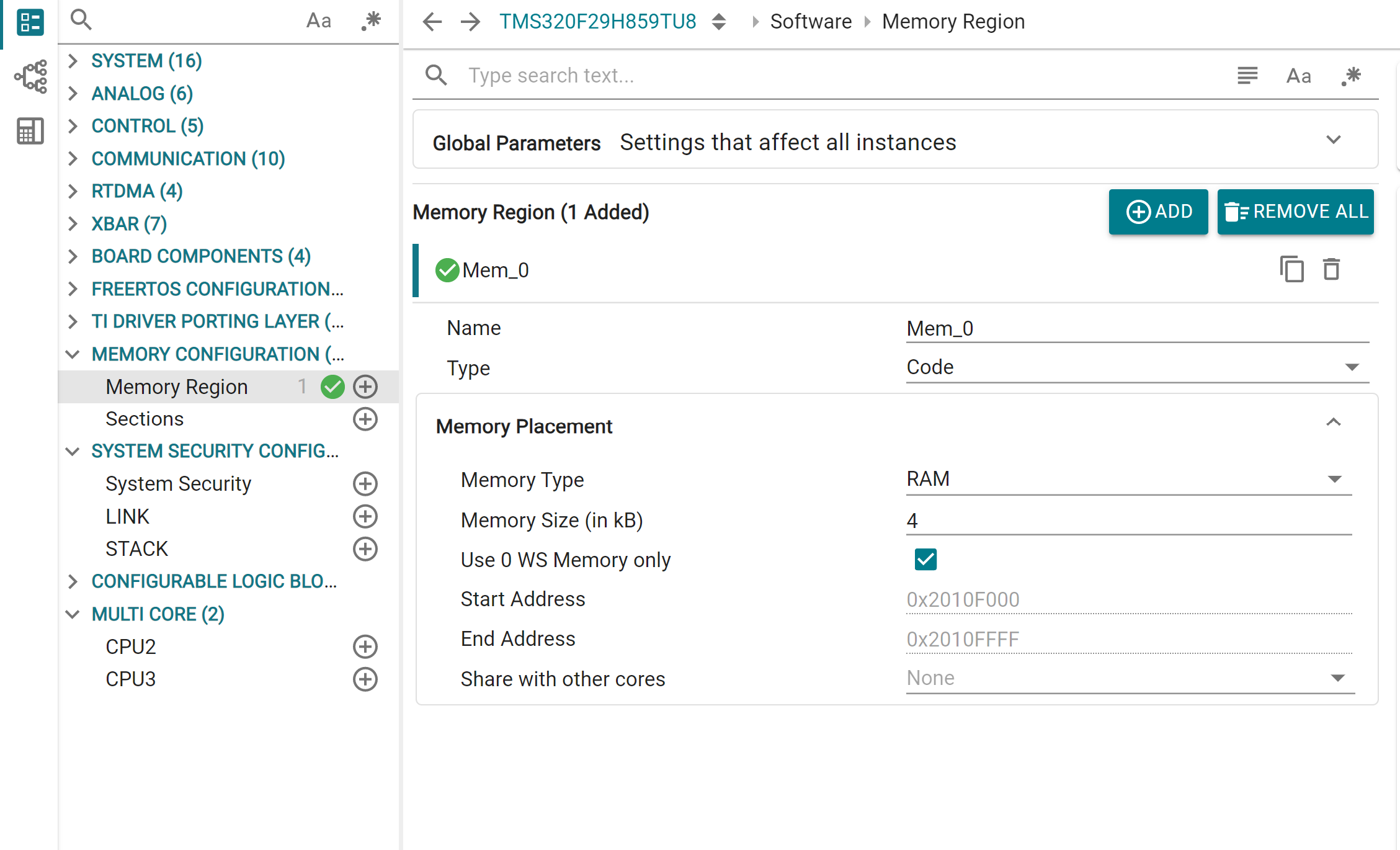
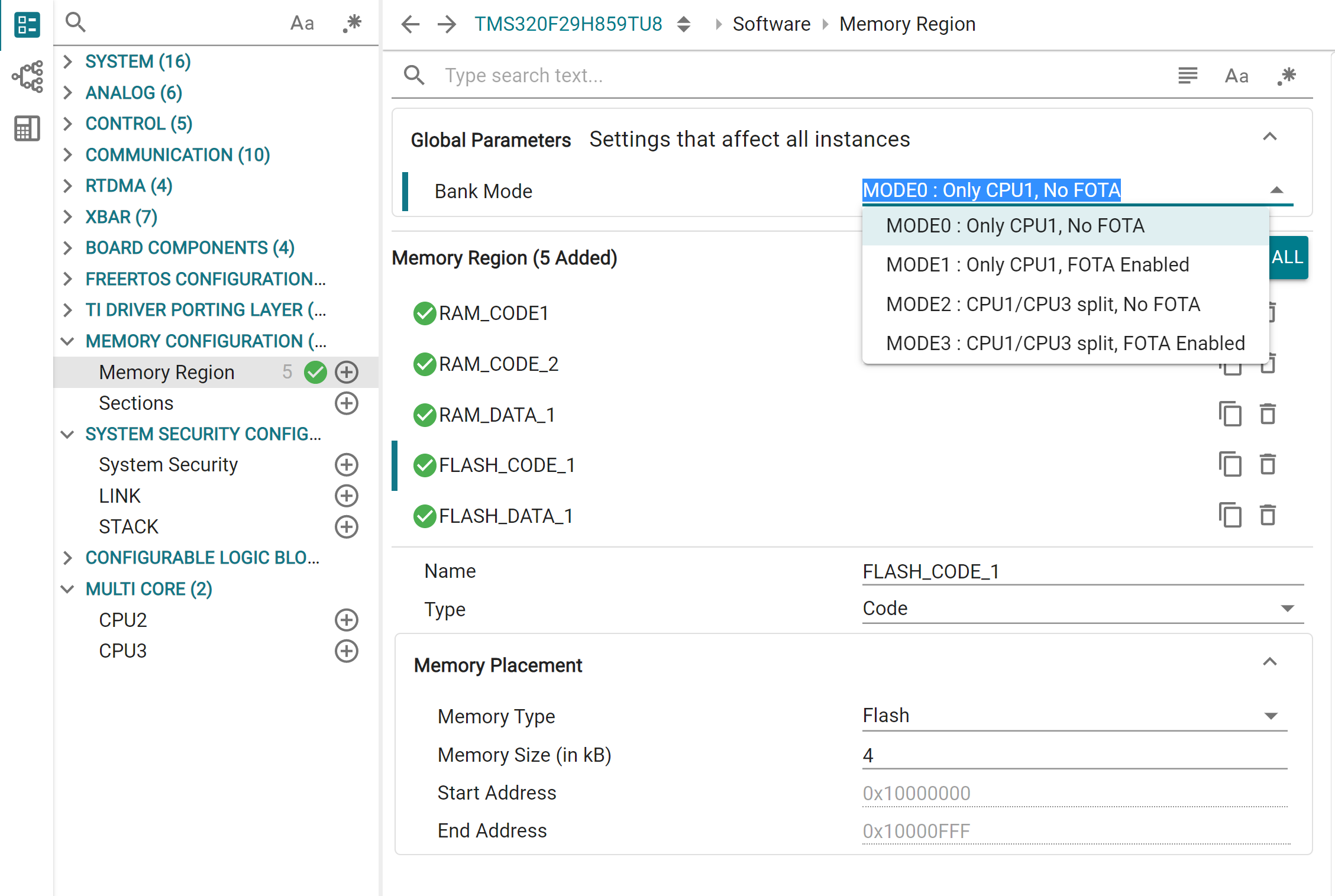
This module is used to create named memory ranges, which will be listed under the MEMORY directive of the linker cmd file. In the Global Parameters, the Flash BANKMODE configuration is specified. Note that this is only used for allocation purposes and does not actually perform any BANKMODE related setup on the device. For this configuration, please use the Flash Plugin provided with CCS.
For each Memory Region, user specifies:
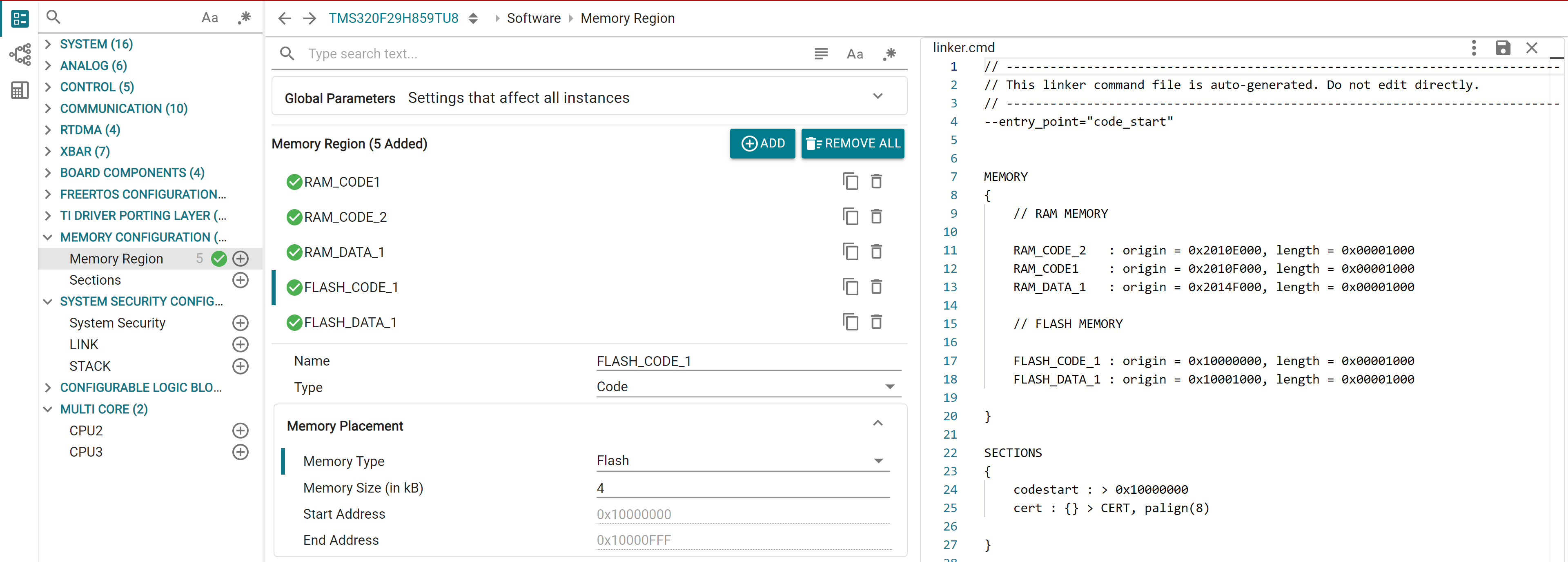
Different sections of RAM and Flash have different access settings based on BANKMODE, core, wait state optimization etc. The tool will automatically allocate an optimal memory region based on user input and add it to the linker file. In case a region cannot be allocated (for instance, a 0 WS region is mandated but not available, or required memory is not available), the tool will throw an error and with the corresponding root cause.
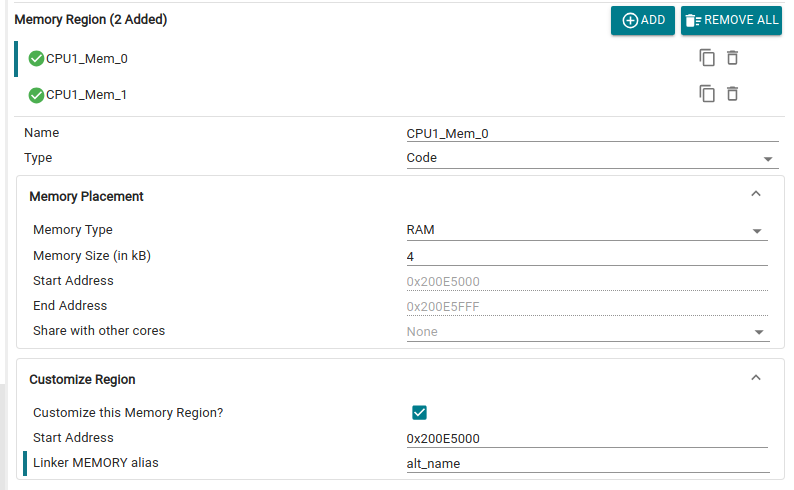
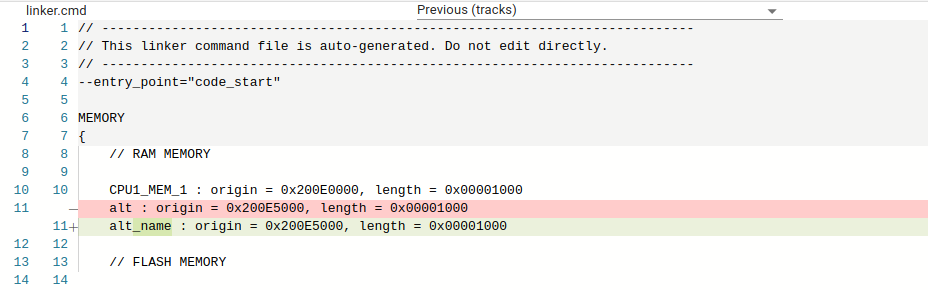
In order to bypass the automatic allocation and specify the exact address for a region, enable the Customize this Memory Region? checkbox. Here, user can enter the Start Address (4KB aligned). User can also specify an alternative MEMORY region alias for the current APR. In case of a memory region added via the System Security module, there is also an option to specify a SECTION alias for the current region, which will replace the normally auto-generated SECTION name corresponding to that APR. Note that these options may be restricted or disabled for certain special memory regions (such as CERT).
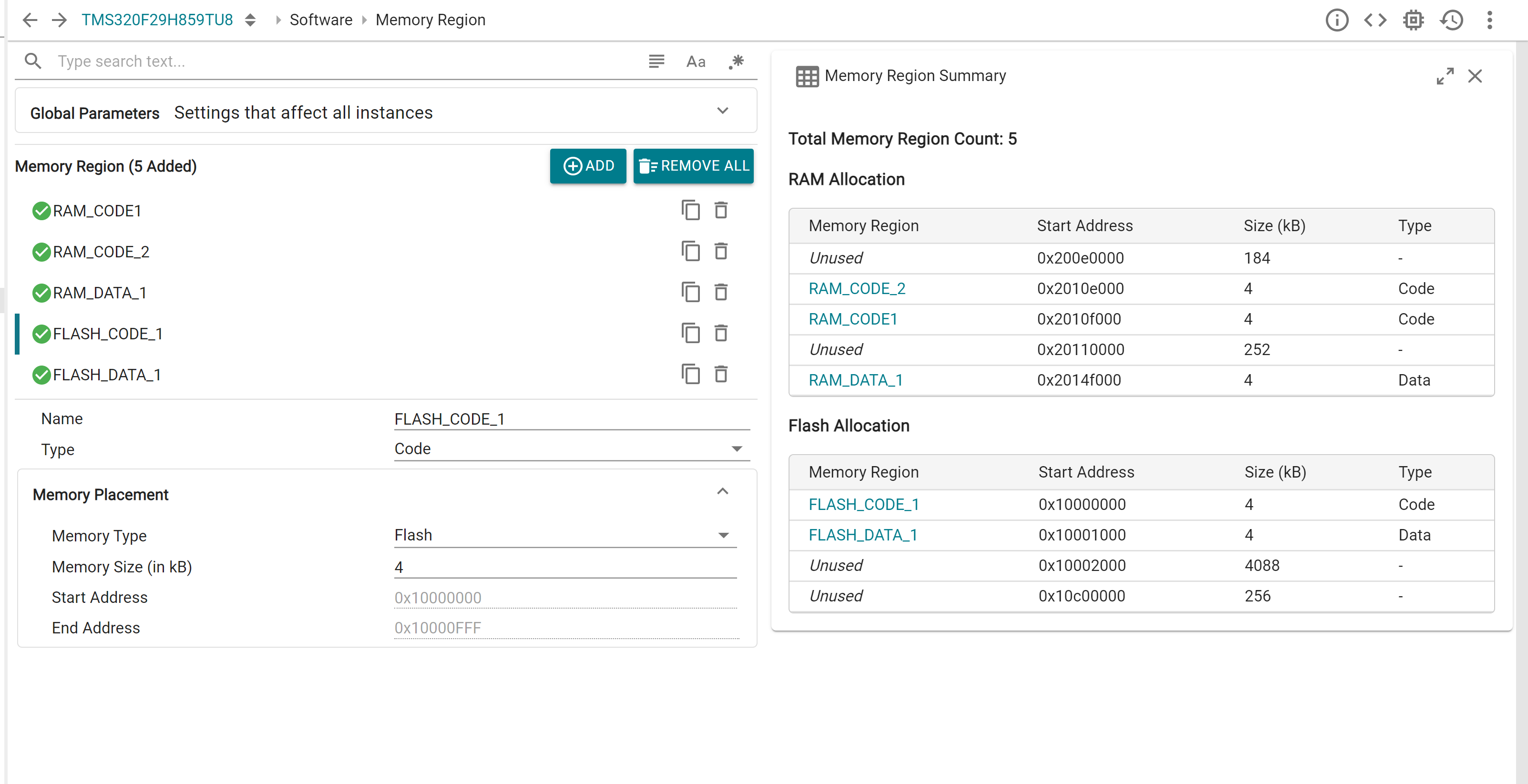
The Memory Region Summary view table in Sysconfig can be used for a concise visualization of all created memory regions on each individual CPU context, as well as information regarding available unused memory.
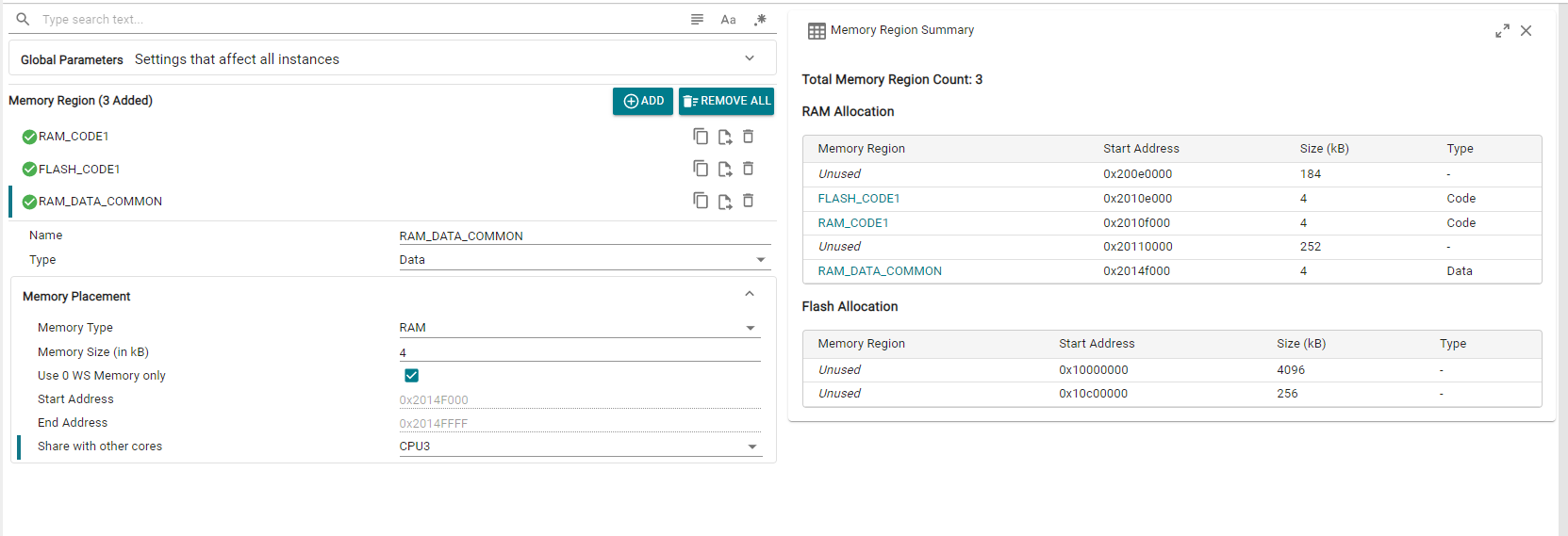
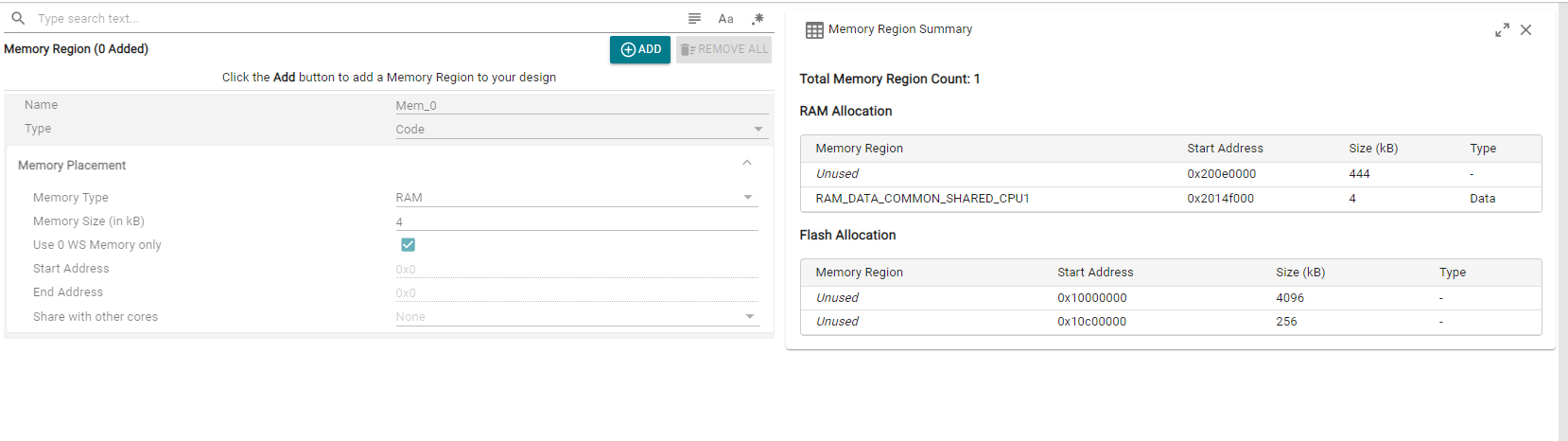
In some cases, like when a region is shared to another core, the Memory Region on the shared core is created "implicitly", i.e. not available directly under the Memory Region instance list. Such regions can also be inspected by opening this summary view.
This module is used for creating output sections, and the constituent input sections, which will be listed under the SECTIONS directive of the linker cmd file.
Currently, each output section can be assigned to exactly 1 Memory Region without splitting. It can also be assigned to be run from a different (single) Memory Region. Additional linker configurations like alignment, constant padding, and other special symbols are also available in the module.
Zero/more input sections can be added for each output section. For each input section, user can specify the library name, object file and the specific input section name. If any of these are left blank, all relevant matches for that field will be assigned to the section (See below image).
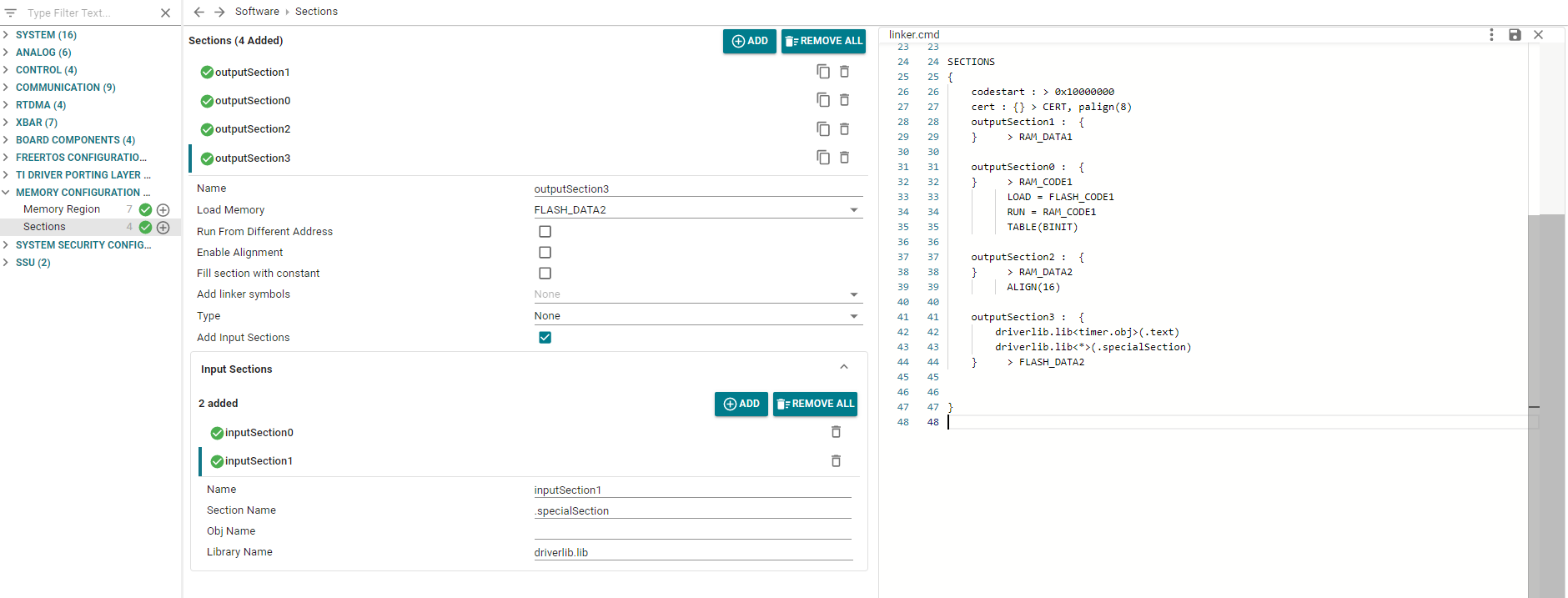
In case no input sections are added, the output section name itself is used to locate and match input sections.
Certain "special" input sections are configured as follows:
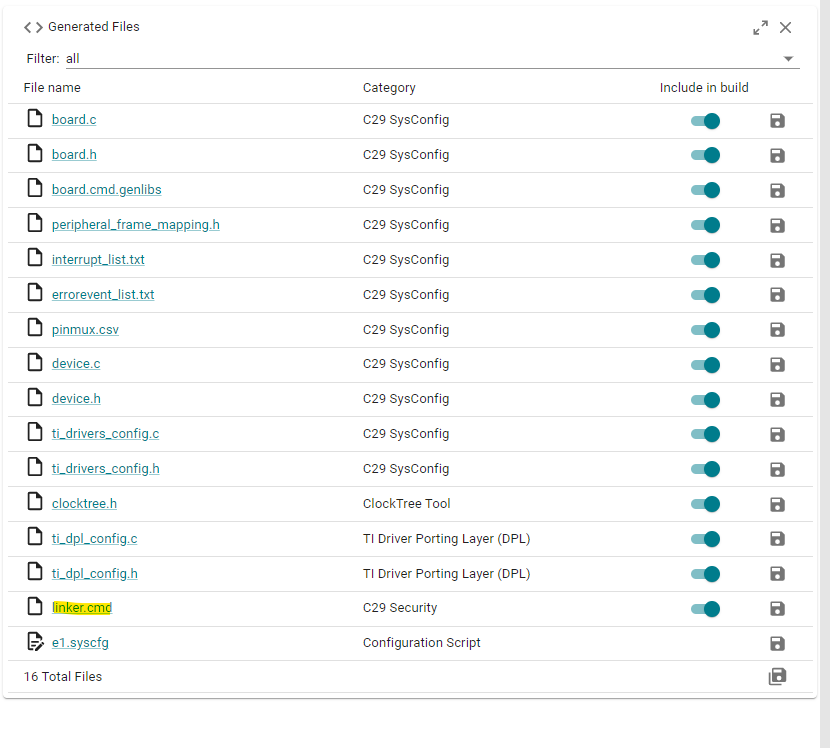
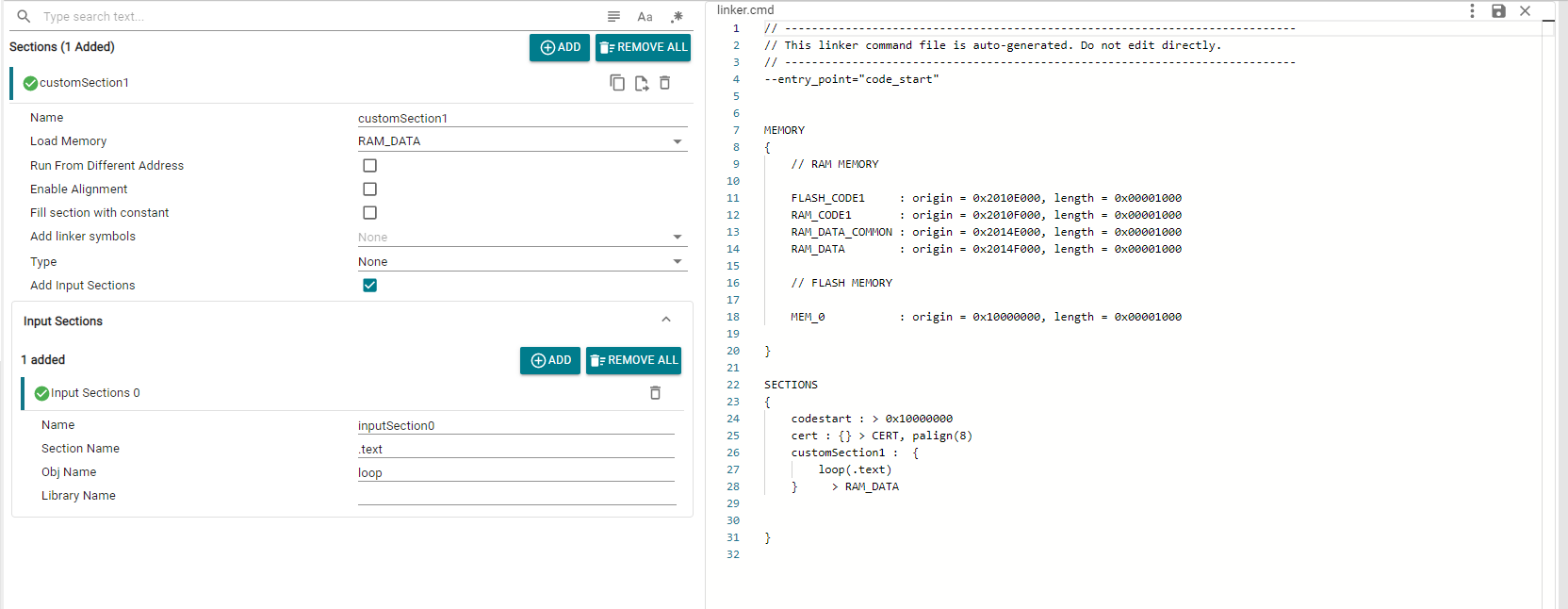
The tool generates the linker.cmd file based on the selected options in the GUI, which can be found in the "C29 Security" category. For user-defined Sections, entries will only show up when that specific section has a valid “Load Memory” entry selected
 1.11.0